Nov 4, 2026
What Makes a Strong Global Technology Partner
View moreOct 1 - 2026


The hybrid meeting room experience defines how reliably your teams can connect, collaborate, and communicate across locations. A modern meeting room works when the experience is consistent, easy to use, and supported by reliable video, audio, and collaboration tools that work the same way every time.
Across offices, room types, and regions, teams expect the same experience whenever they walk into a meeting. Yet the experience is often inconsistent.
59% of employers believe their organization ensures a seamless experience across all environments, but only 46% of employees agree. That 13-point gap reflects what users experience every day.
Connections take longer than they should, audio drops out, and sharing content becomes more difficult.
These issues create friction in the moments that matter most. They also increase support demands for your IT team.
The meeting room is a critical touchpoint in the collaboration experience. It shapes how meetings begin, how your teams engage, and how consistently technology performs across environments.
You likely support a mix of collaboration spaces across your organization.
Each space serves a different purpose, but the user experience should feel familiar in every room.
Without defined standards, your teams must relearn how to start meetings or share content in every room. This slows meetings down and reduces confidence in your technology.
Consistency across room types ensures that hybrid meetings work the same way, regardless of location or space.
Designing hybrid meeting spaces starts with defining how each room will be used. Then you can align your room layout, technology, and user experience to support consistent collaboration across your environments.
Consistency comes down to how these technologies work together. When video, audio, and content sharing perform reliably, meetings become easier to join and more productive for everyone involved.
Video helps your teams stay connected across locations and creates a stronger sense of presence during hybrid meetings. The right camera experience also reduces friction by helping remote participants stay engaged and follow the conversation more easily.
Audio has one of the biggest impacts on meeting quality and overall collaboration. Clear, reliable sound helps conversations move naturally and keeps participants engaged. When every voice is heard consistently, in-room and remote participants can contribute with confidence.
Your hybrid teams and IT support staff need meeting spaces that are simple to use, easy to manage, and consistent across every location. Crestron combines intelligent collaboration technology, AI-powered video, professional audio, and centralised management to help organisations create seamless meeting experiences.
From conference rooms to shared collaboration spaces, Crestron provides a unified platform that simplifies deployment, supports hybrid work, and gives IT teams the flexibility to scale with confidence.
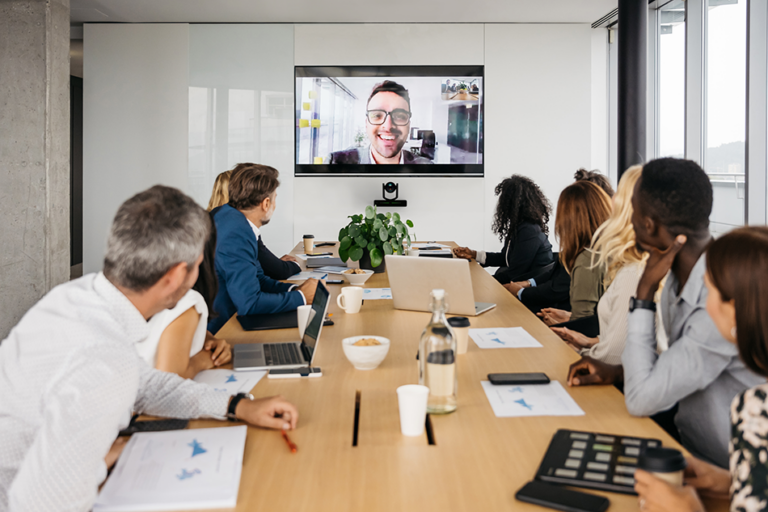
Displays shape how participants follow content, engage with remote attendees, and stay aligned throughout the meeting. With the right setup, meetings become more dynamic by allowing teams to view people, presentations, and shared information at the same time.
Projection helps bring larger meeting spaces to life with flexible, high-impact visuals. It is especially effective in training rooms, multi-purpose environments, and spaces where teams need to engage with content at scale.
Beyond technology, furniture also plays a key role in conference room design and how your teams use meeting spaces. The right layout supports comfort, visibility, movement, and more natural collaboration throughout the meeting.
Meeting room scheduling is part of your overall experience. When it works well, meetings start on time, and your teams spend less time searching for space.
When these systems are connected, you improve room utilization and reduce friction across your organization.
Consistency across your meeting rooms directly impacts performance and support.
When your teams know what to expect, meetings start faster and run smoothly.
Establishing clear meeting room standards helps you maintain consistency across locations while supporting flexible work environments.
You can standardize meeting rooms by defining room types, aligning core technologies, and applying consistent configurations across every location.
Elevated meeting experiences require video technology that keeps every participant visible and engaged. Logitech combines AI-powered video, intelligent framing, flexible deployment, and centralised device management to create more natural, inclusive meeting experiences, even in challenging room environments.
For larger Microsoft Teams Rooms and boardrooms, Logitech Rally Bar paired with Logitech Sight gives remote participants both a front-of-room and tabletop perspective. Together, they create a more complete view of conversations, helping everyone feel seen, heard, and included throughout the meeting.

Your meeting rooms play a central role in how your teams collaborate across environments.
When your meeting room experiences are consistent, reliable, and easy to use, you support stronger communication and reduce friction across your workplace.
AVI-SPL helps you design and support meeting environments that improve performance and reduce complexity at scale.
Evaluate how your meeting spaces perform. Understanding where inconsistencies exist is the first step toward delivering a more reliable and consistent experience across your organization. Contact AVI-SPL to get started.